Messaging and Notes
Communication on a show happens in a few distinct patterns, and MusiCal has a place for each. Knowing which one to use saves you and the cast a lot of email.
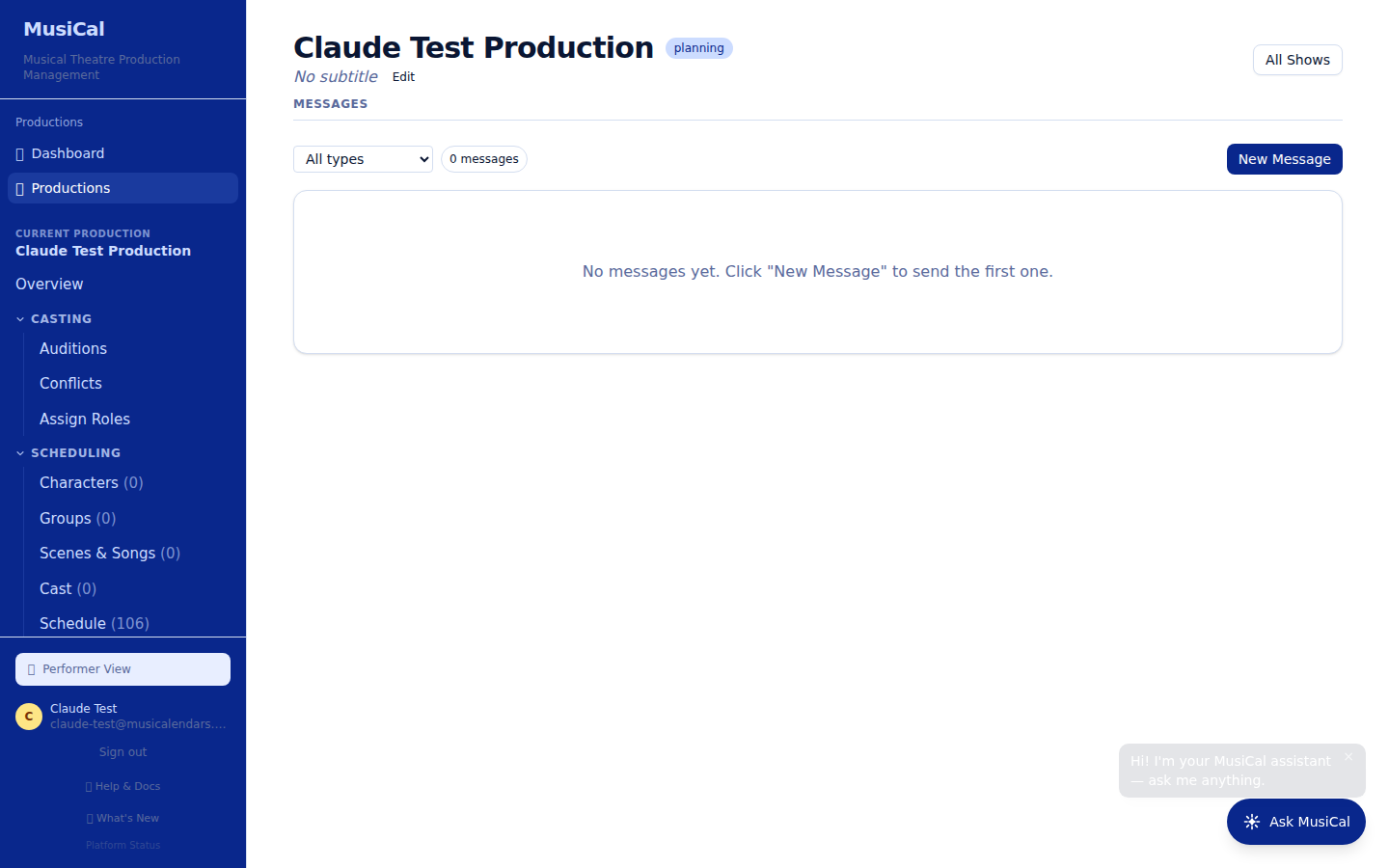
The Messages tab
The production's Messages tab is the message board. Each message has a type — Announcement, Rehearsal Note, Reminder, or Direct — and the list can be filtered by type. Use announcements for things that affect the whole production (a schedule change, a cast meeting), reminders for time-sensitive nudges, and direct messages for something aimed at specific people.
Notes on rehearsals
A note attached to a rehearsal on the Schedule travels with that rehearsal. There are two kinds, and the difference matters:
- Cast-visible notes appear everywhere the rehearsal does: the schedule view, the printable PDF calendars (list and grid), and the event description in each person's subscribed calendar app. Use them for day-of essentials — bring black character shoes, the room changed, we're running Act 2 cold.
- Director-only notes never leave the admin view. Use them for working notes you don't want the cast to read.
If you change a note, it updates on every surface — performers who never log in still see it on their phone's calendar.
Rehearsal reports
The Rehearsal Report (first card on the Tech Dashboard) is the structured end-of-day writeup, and it can be sent to your cast and crew. A new report prefills what was rehearsed, who was there, and the total hours from that day's schedule.
The powerful part is targeting: in the "Notes to cast" and "Notes to crew" boxes, type @ to tag a role, an actor, a crew member, or a whole division. When you hit "Save and send to cast", the report shows up on each person's portal — everyone sees the general notes, and anyone you @mentioned also sees their own note, and only theirs. Parents see their child's report. Performers get a "For you" badge on notes tagged to them.
Announcing casting
The casting announcement has its own tool — Email Cast on the Assign Roles board — with a prefilled congratulations message per performer. See Casting and Offers.
Choosing the right channel
A rough rule of thumb:
- Everyone needs to know, independent of any rehearsal → a message on the Messages tab.
- The people called to this rehearsal need to know about this rehearsal → a cast-visible rehearsal note on the schedule.
- The end-of-day writeup, with notes for specific people → a rehearsal report, with @mentions.
- Staff-only working notes → a director-only note.
The wrong channel doesn't break anything, but the cast will appreciate not being notified about rehearsals they aren't called to.